Spotify Brings Real Time Listening and Shared Jam Invites to Messages
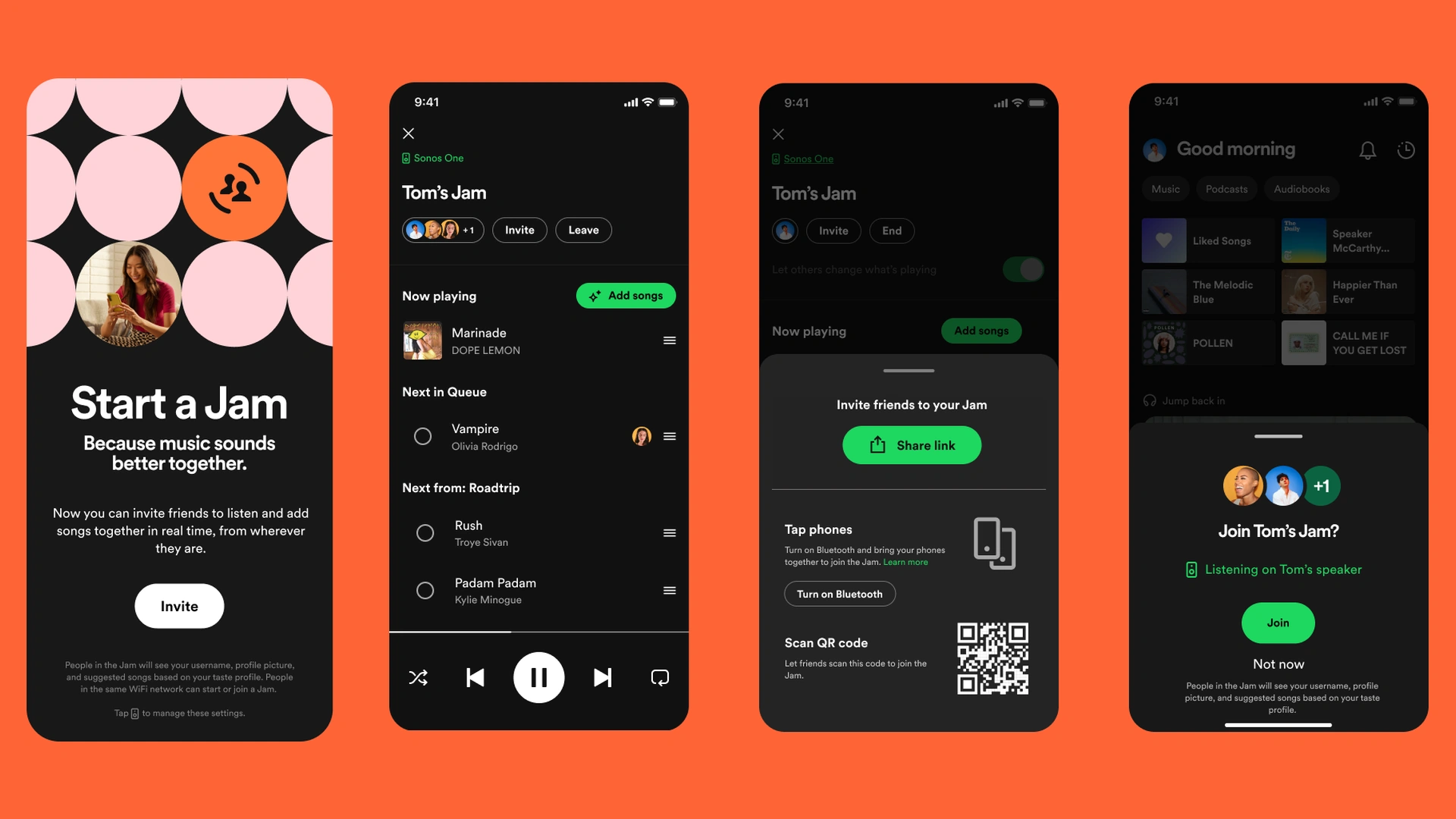
Spotify is expanding the social side of music streaming with the introduction of two new messaging features designed to make listening more visible and more collaborative. Announced on January 7 2026, Listening Activity and Request to Jam build directly into Spotify Messages, allowing users to see what friends are listening to in real time and seamlessly turn those moments into shared listening sessions. The update reflects Spotify’s growing focus on connection and discovery, transforming private listening habits into interactive experiences without leaving the app.
The changes matter because they deepen how people engage with music together. As streaming becomes less about passive consumption and more about shared culture, Spotify is positioning Messages as a place where music discovery, conversation and real time interaction meet. With tens of millions of users already exchanging hundreds of millions of messages, the platform is now extending that momentum by making listening itself part of the conversation.
Spotify Messages gains a new layer of social context
When Spotify launched Messages last year, the goal was simple: give users a built in space to share songs, podcasts and audiobooks with the people they care about. Adoption quickly exceeded expectations. Nearly forty million users have already sent close to three hundred and forty million messages, signaling strong demand for social interaction directly inside the streaming experience.
Listening Activity and Request to Jam are designed to build on that foundation. Instead of sharing links after the fact, users can now see what others are listening to as it happens and respond instantly. This shift moves Spotify closer to a real time social feed, but one that remains private, controlled and centered around close connections rather than public broadcasting.
Listening Activity brings real time visibility to Messages
Listening Activity introduces an optional way for users to display what they are currently listening to within Messages. When enabled, the feature shows the track a user is playing in real time. If they are not actively listening, the most recently played song appears instead. This information is visible only to friends and family members the user has already connected with through Messages.
Spotify has emphasized user control as a central part of the feature. Listening Activity is entirely opt in, and users decide whether to share their listening status. Even when enabled, activity is limited to existing message contacts, ensuring that listening habits are not exposed to a broader or unknown audience.
The feature is also designed to be reciprocal without being restrictive. Users can see the listening activity of others even if they choose not to share their own, as long as the other person has opted in. This allows users to stay connected and discover new music without feeling pressured to broadcast their own activity.
How Listening Activity works inside the app
Listening Activity can be enabled through Privacy and social settings, which are accessible from the side drawer next to the View profile button. Once turned on, listening information appears prominently in two places. It shows up in the chat row of the side drawer and at the top of individual Messages chats, making it easy to spot without interrupting conversations.
Tapping on a friend or family member’s listening activity opens up several interaction options. Users can add the track directly to their library, start playback immediately, open the track context menu for additional actions, or react with one of six standard emojis. These lightweight interactions are designed to encourage quick engagement without forcing users into a full conversation.
Spotify has also clarified that Listening Activity is limited strictly to people users have already messaged. This ensures that the feature enhances existing relationships rather than creating new privacy concerns. At any time, users can turn Listening Activity off if they no longer wish to share.
Turning listening moments into shared experiences
While Listening Activity adds awareness, Request to Jam adds action. The second new feature makes it easier to turn individual listening into a shared experience through Spotify’s Jam functionality. Jam allows multiple users to listen together remotely, sharing a synchronized queue from anywhere.
Jam has already seen strong growth, with daily active users more than doubling year over year. However, one challenge has been timing. Users often do not know when friends are available or already listening. encouraging spontaneous shared sessions has been difficult. Request to Jam directly addresses this gap by connecting listening visibility with instant invitations.
With the new system, users can see when someone is actively listening and invite them into a Jam session directly from Messages. This creates a natural flow from discovery to participation, reducing friction and making shared listening more intuitive.
How Request to Jam works
From within a Messages chat, Premium users can tap the Jam option located in the top right corner to send a request for a remote Jam session. The recipient receives a notification and can choose to accept or decline the invitation.
If the request is accepted, the recipient becomes the host of the Jam session. From that point on, both participants can add tracks to a shared queue and listen together in sync. The experience is designed to be flexible and lightweight, allowing users to join and leave without disrupting their broader Spotify usage.
During a Jam, participants can see each other’s display names and receive song suggestions based on their combined taste profiles. This collaborative recommendation element is intended to enhance discovery by blending listening preferences in real time.
Users can leave a Jam whenever they choose, and any pending Jam invitations will automatically expire if they are not accepted within a few minutes. This prevents outdated requests from cluttering Messages and keeps interactions timely.
Free and Premium access explained
Spotify has structured access to Request to Jam in a way that aligns with its existing subscription tiers. Premium users are required to initiate a Jam invitation, but Free users can join a Jam session when invited by a Premium subscriber. This approach allows broader participation while preserving Premium as the entry point for hosting shared sessions.
Listening Activity, by contrast, is available to all users who have access to Messages, regardless of subscription level. This ensures that visibility and discovery are not limited to paying subscribers, reinforcing Spotify’s emphasis on inclusivity within its social features.
Both Listening Activity and Request to Jam are available only within Messages, and access is limited to users aged sixteen and up. This age requirement aligns with Spotify’s broader policies around social interaction and messaging.
Rollout timeline and platform availability
Spotify confirmed that both features are rolling out gradually to users in Messages enabled markets on iOS and Android devices. The company expects broad availability in these markets by early February. As with many Spotify updates, the rollout will be staged, meaning some users may see the features before others.
By integrating the features directly into Messages, Spotify avoids fragmenting the experience across multiple parts of the app. Users do not need to navigate to separate social feeds or discovery tabs. Everything happens within the context of existing conversations.
Why this update matters for music discovery
The introduction of Listening Activity and Request to Jam reflects a broader shift in how streaming platforms think about discovery. Instead of relying solely on algorithms or editorial playlists, Spotify is increasingly leaning into social signals. Seeing what friends are listening to and joining them in real time creates organic discovery moments that feel personal rather than programmed.
This approach also aligns with changing user behavior. Many listeners already use external messaging apps to share songs and discuss music. By bringing those interactions into Spotify itself, the company keeps users engaged within its ecosystem while reducing the need to switch between apps.
Importantly, Spotify has taken care to balance visibility with privacy. By limiting sharing to existing message connections and keeping features opt in, the platform avoids turning listening into a public performance. The focus remains on close social circles rather than broad audiences.
Strengthening Spotify’s position in social audio
Social features have long been part of Spotify’s strategy, from collaborative playlists to friend activity feeds. Listening Activity and Request to Jam represent a more intimate and immediate evolution of that strategy. Rather than passive observation, users are encouraged to interact, respond and listen together in the moment.
For Spotify, this strengthens differentiation in an increasingly competitive streaming market. While many platforms offer vast libraries and personalized recommendations, fewer provide seamless ways to listen together across distance. By refining Jam and embedding it into Messages, Spotify is reinforcing its identity as a shared cultural space rather than just a utility.
Looking ahead
With Listening Activity and Request to Jam, Spotify is not introducing entirely new concepts, but refining and connecting existing ones in a more coherent way. Real time visibility, instant invitations and synchronized listening all work together to make music more social without overwhelming users.
As the features roll out globally, their success will likely depend on how naturally they fit into everyday listening habits. Early signals from Messages usage suggest that users are eager to share and help each other discover new content. By lowering the barriers to shared listening, Spotify is betting that those small moments of connection will keep users engaged for the long term.
For listeners, the update means music no longer has to be a solitary experience, even when people are apart. With a glance at Messages and a single tap, a song can become a shared moment.

Edit Profile
Help improve @KR

Was this page helpful to you?
Contact Khogendra Rupini
Are you looking for an experienced developer to bring your website to life, tackle technical challenges, fix bugs, or enhance functionality? Look no further.
I specialize in building professional, high-performing, and user-friendly websites designed to meet your unique needs. Whether it’s creating custom JavaScript components, solving complex JS problems, or designing responsive layouts that look stunning on both small screens and desktops, I can collaborate with you.
Create something exceptional with us. Contact us today
Open for Collaboration
If you're looking to collaborate, I’m available for a variety of professional services, including -
- Website Design & Development
- Advertisement & Promotion Setup
- Hosting Configuration & Deployment
- Front-end & Back-end Code Implementation
- Code Testing & Optimization
- Cybersecurity Solutions & Threat Prevention
- Website Scanning & Malware Removal
- Hacked Website Recovery
- PHP & MySQL Development
- Python Programming
- Web Content Writing
- Protection Against Hacking Attempts