
Samsung expands Galaxy S26 AI tools to older phones with One UI 8.5 update: Check eligible devices and new features
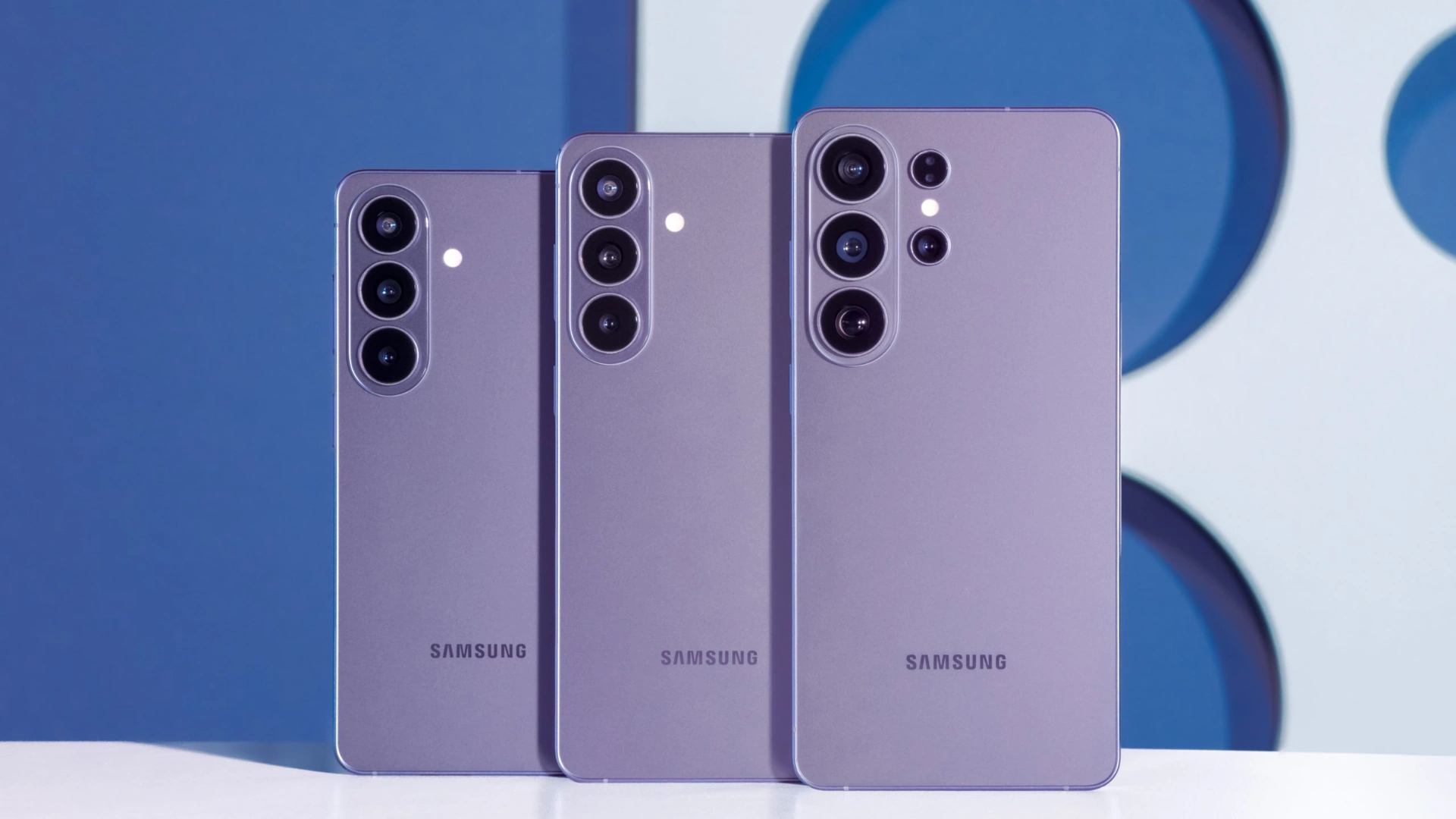
Samsung is widening access to its latest Galaxy AI experience by bringing several Galaxy S26 series features to older premium smartphones through the upcoming One UI 8.5 update.
The move signals Samsung’s continued push to keep existing flagship users inside its AI ecosystem, while extending tools that first debuted on the Galaxy S26 lineup earlier this year.
The Galaxy S26 series launched with four headline AI additions: Advanced Audio Eraser, Call Screening, Creative Studio, and an upgraded Photo Assist.
These tools are now beginning to appear on select earlier devices through the One UI 8.5 beta rollout, giving more users access to Samsung’s newest on device intelligence features.
Samsung brings flagship AI upgrades beyond the Galaxy S26
In recent years, smartphone makers have increasingly used artificial intelligence as a key selling point.
Samsung has moved aggressively in that direction, building Galaxy AI into translation, imaging, productivity, and communication tools across its ecosystem.
With One UI 8.5, the company appears focused on one major message: newer AI features should not remain limited to only the newest hardware when capable older devices can support them.
That strategy could help Samsung strengthen long term loyalty among premium users who expect several years of meaningful software upgrades after buying flagship phones.
Advanced Audio Eraser now works in real time
One of the most practical additions is Advanced Audio Eraser.
Earlier versions mainly worked with recorded videos, allowing users to reduce unwanted background sounds after capture.
The updated version expands that idea significantly.
Users can now lower distracting noise while actively watching videos inside popular apps such as Instagram, Netflix, and YouTube.
That means traffic noise, wind, crowd chatter, or other interruptions may be reduced during playback.
Samsung is also allowing quick access through the Quick Panel, where users can adjust the level of noise reduction without digging through menus.
For users who consume media on the move, this may become one of the most frequently used AI upgrades.
Call Screening aims to save time and reduce interruptions
Another major addition is Call Screening, a feature designed for users who cannot always answer incoming calls immediately.
Using on device AI, the phone can respond on the user’s behalf, ask the caller for their identity and reason for calling, then save a recording and text transcription for later review.
The feature could be useful for professionals in meetings, travelers, students in class, or anyone dealing with spam and unknown numbers.
It also reflects a broader smartphone trend where AI is being used to manage routine communication tasks.
Because the processing is handled on device, Samsung is emphasizing speed and privacy focused convenience.
Creative Studio adds AI powered design tools
Samsung is also introducing Creative Studio, a new app aimed at everyday creativity rather than only productivity.
The app can help users generate drawings, invitation cards, profile cards, stickers, and wallpapers using simple doodles or text prompts.
This lowers the barrier for users who want custom visuals but may not have advanced design skills.
As AI image tools become more common, Samsung is clearly trying to make content creation a native part of the smartphone experience instead of something users need third party apps for.
Photo Assist gets more powerful editing options
Samsung’s Photo Assist tool is also receiving a major expansion.
Users can now edit images through text prompts, allowing more natural language control over adjustments and creative changes.
The updated system can also bring objects or people from one photo into another, making composite editing simpler for mainstream users.
This could appeal strongly to social media creators, casual photographers, and anyone who wants fast edits without complex manual software.
Devices currently eligible for Galaxy S26 AI features
According to currently available rollout details, the following devices were among the first to receive these Galaxy S26 AI tools through the One UI 8.5 beta program:
- Galaxy S25 series
- Galaxy S24 series
- Galaxy Z Fold 7
- Galaxy Z Fold 6
- Galaxy Z Flip 6
This suggests Samsung is prioritizing recent flagship and foldable devices first, where hardware resources are strongest.
What about Galaxy S23 and older foldables
Samsung has not yet officially confirmed wider availability for some older premium devices.
That leaves open the possibility that models such as the Galaxy S23 series, Galaxy Z Fold 5, and Galaxy Z Flip 5 could receive some or all of these features later.
Much may depend on hardware capability, regional rollout plans, and beta testing performance.
Why this update matters
Samsung’s decision to extend new AI tools beyond the latest launch cycle is important for the wider Android market.
Buyers increasingly judge phones not only by cameras and processors, but by how long software innovation continues after purchase.
If Samsung consistently delivers headline features to previous generation flagships, it may strengthen its reputation for premium long term support.
For users, the message is simple: owning an older flagship may still mean getting tomorrow’s features.
Final word
The One UI 8.5 rollout could become one of Samsung’s most meaningful software updates of the year, especially for users who want advanced AI without buying a brand new device.
Real time audio cleanup, smart call handling, creative image generation, and stronger editing tools all reflect where smartphones are heading next.
As Samsung confirms more eligible devices, interest is likely to grow among Galaxy users waiting to see whether their current phone is still part of the AI future.
Edit Profile
Help improve @KR

Was this page helpful to you?
Contact Khogendra Rupini
Are you looking for an experienced developer to bring your website to life, tackle technical challenges, fix bugs, or enhance functionality? Look no further.
I specialize in building professional, high-performing, and user-friendly websites designed to meet your unique needs. Whether it's creating custom JavaScript components, solving complex JS problems, or designing responsive layouts that look stunning on both small screens and desktops, I can collaborate with you.
Create something exceptional with us. Contact us today
Open for Collaboration
If you're looking to collaborate, I'm available for a variety of professional services, including -
- Website Design & Development
- Advertisement & Promotion Setup
- Hosting Configuration & Deployment
- Front-end & Back-end Code Implementation
- Code Testing & Optimization
- Cybersecurity Solutions & Threat Prevention
- Website Scanning & Malware Removal
- Hacked Website Recovery
- PHP & MySQL Development
- Python Programming
- Web Content Writing
- Protection Against Hacking Attempts