
Google Photos rolls out AI Enhance for all users worldwide as Android photo editing gets a major new upgrade
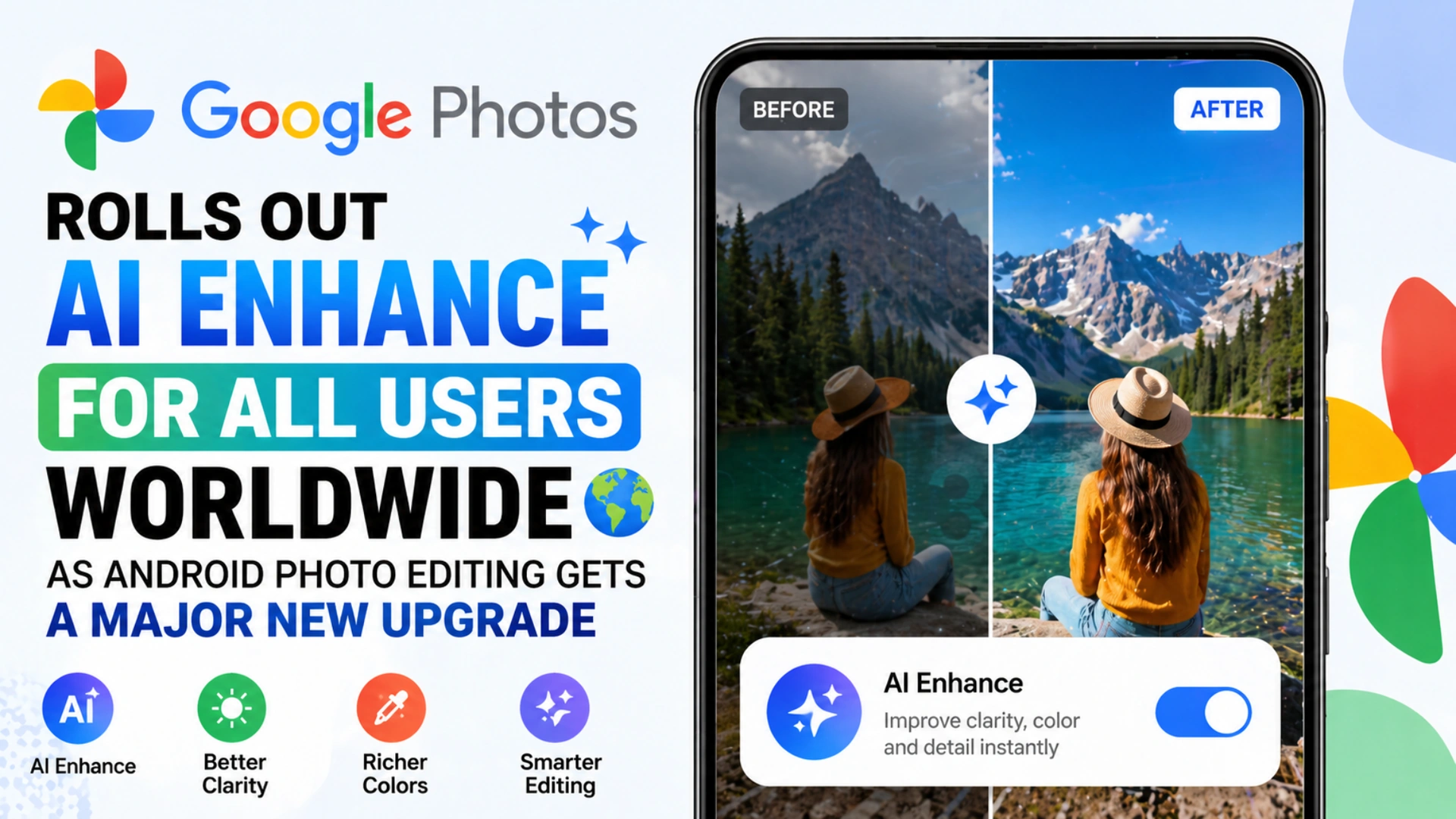
Google is expanding the editing experience inside Google Photos with a new feature called AI Enhance, now reportedly rolling out to users worldwide. The tool adds another one tap option to improve photos automatically, joining the existing Enhance and Dynamic buttons already found inside the Auto tab of the editor.
The latest update signals Google’s continued focus on making advanced image editing simpler for everyday users. Instead of requiring manual adjustments to brightness, shadows, or color balance, AI Enhance is designed to deliver quick improvements with a single tap.
Google Photos adds a new AI powered editing option
The newly introduced AI Enhance button appears directly beside the current Enhance and Dynamic controls in the Google Photos editor. This placement suggests Google wants the feature to become part of the regular editing flow for users who prefer instant photo improvements without spending time on manual tools.
Early hands on testing indicates the feature can help restore highlight detail, improve shadow balance, and slightly boost color tones. These are common areas where smartphone photos often struggle, especially in difficult lighting conditions such as strong sunlight, dim indoor environments, or backlit scenes.
Rather than producing dramatic changes, the feature appears to favor a more natural style. That may appeal to users who want cleaner and brighter images without the exaggerated look sometimes associated with aggressive AI filters.
Subtle improvements may be the real strength
While AI powered photo editing is now common across many apps and smartphone brands, not every user wants intense transformations. Some tools oversharpen images, over brighten skin tones, or push colors beyond realism.
Google’s approach here seems more restrained. Reports suggest AI Enhance focuses on fixing lighting imbalances and improving overall clarity while preserving the original look of the image. That subtle touch could be valuable for users who simply want their photos to look better while remaining realistic.
For family photos, travel shots, food images, and everyday moments, a balanced enhancement style often feels more useful than flashy edits. In practical use, many people prefer small corrections over dramatic visual effects.
Available worldwide for Android users
One of the most notable parts of the rollout is availability. The feature is said to be reaching Android users globally, rather than launching in limited markets first. That broader release can help Google Photos remain competitive as more users expect AI tools to be included in default apps.
At present, the feature also appears to be free to use. That matters because some competing platforms place premium AI editing tools behind subscriptions or device exclusive access.
Google Photos already has a large user base because of its backup features, search tools, and cross device syncing. Adding free AI editing options could make the app even more attractive for casual users who want fast results without installing third party editors.
Google hints at device based processing
An interesting message associated with the feature says that output may vary by device. This suggests at least some part of the processing may depend on hardware capabilities.
Modern Android phones include different chipsets, image processors, and AI acceleration systems. Devices with stronger on device machine learning hardware may generate faster or better results than entry level phones.
That device based variation is becoming more common in mobile AI tools. Companies increasingly split workloads between cloud servers and local hardware to balance speed, privacy, and image quality.
However, testing has also shown the tool does not function fully offline. That means an internet connection is still required in at least some cases, suggesting Google may still rely partly on cloud processing.
Why this matters for smartphone users
For many people, Google Photos is more than a gallery app. It is where memories are stored, organized, searched, and shared. When editing tools improve inside the same platform, users no longer need to move photos into separate apps.
This reduces friction and saves time. A user can open an image, tap AI Enhance, compare the result, and share it immediately.
As smartphone cameras continue to improve, software is increasingly the difference maker. Even mid range phones can capture strong images, but smart editing can rescue photos taken in difficult lighting or rushed moments.
That is where tools like AI Enhance become valuable. They help ordinary users improve photos that otherwise might remain unused.
Google’s wider AI strategy becomes clearer
The addition of AI Enhance also reflects Google’s larger strategy of embedding artificial intelligence across its ecosystem. From Search and Gmail to Android and Photos, the company is steadily adding AI driven assistance into products millions use daily.
Instead of presenting AI as a separate destination, Google increasingly places it inside familiar tools. In Google Photos, that means users may not think about algorithms or machine learning at all. They simply tap a button and receive a better image.
That convenience is likely to shape how mainstream consumers adopt AI features in the years ahead.
What users should expect next
Google Photos has steadily evolved from a backup service into a full editing platform. With AI Enhance now live, more advanced upgrades may follow, including smarter object cleanup, portrait refinements, scene based optimization, or faster on device editing.
The company recently introduced facial touch up options as well, showing that Google is actively expanding its editing toolkit.
For now, AI Enhance looks like a practical addition rather than a flashy revolution. It may not transform every photo dramatically, but it offers something many users value more: quick, natural, reliable improvements.
Final verdict
Google Photos AI Enhance may not be the most dramatic editing tool in the market, but its strength appears to be convenience and balance. With worldwide Android availability, free access, and subtle photo corrections, it adds another useful layer to one of Google’s most important consumer apps.
For users who want better photos in seconds without complicated controls, this rollout could become one of the most useful Google Photos updates of the year.
Edit Profile
Help improve @KR
Was this page helpful to you?
Contact Khogendra Rupini
Are you looking for an experienced developer to bring your website to life, tackle technical challenges, fix bugs, or enhance functionality? Look no further.
I specialize in building professional, high-performing, and user-friendly websites designed to meet your unique needs. Whether it's creating custom JavaScript components, solving complex JS problems, or designing responsive layouts that look stunning on both small screens and desktops, I can collaborate with you.
Create something exceptional with us. Contact us today
Open for Collaboration
If you're looking to collaborate, I'm available for a variety of professional services, including -
- Website Design & Development
- Advertisement & Promotion Setup
- Hosting Configuration & Deployment
- Front-end & Back-end Code Implementation
- Code Testing & Optimization
- Cybersecurity Solutions & Threat Prevention
- Website Scanning & Malware Removal
- Hacked Website Recovery
- PHP & MySQL Development
- Python Programming
- Web Content Writing
- Protection Against Hacking Attempts