Windows 11 finds fresh momentum as K2 overhaul, Xbox Mode, and community driven revivals reshape Microsoft’s ecosystem
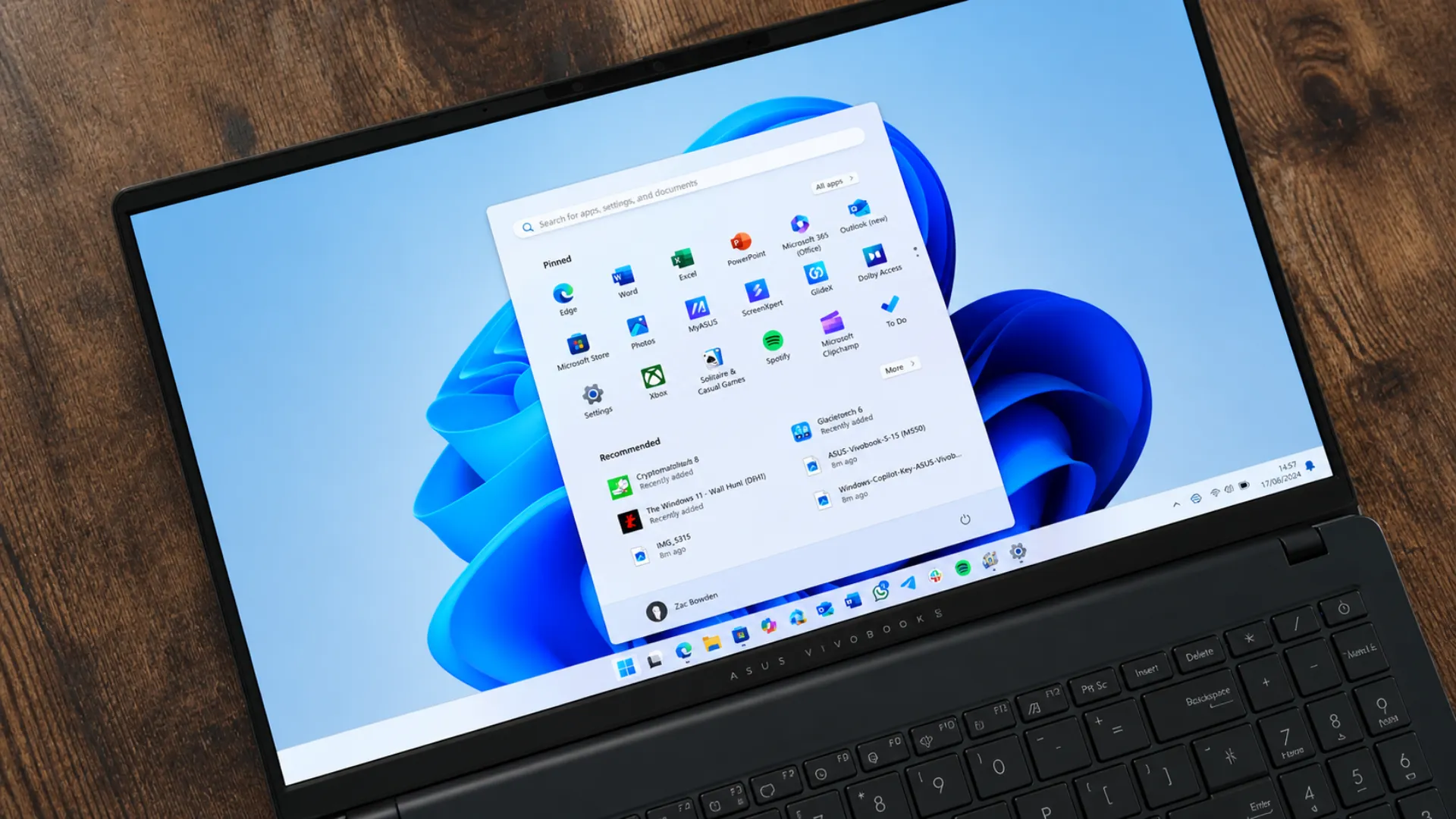
In a week that blended official strategy shifts with passionate community innovation, Windows 11 unexpectedly regained momentum. A mix of internal reforms at Microsoft, new gaming focused experiences, and nostalgic revivals from developers has created a rare moment of optimism around the operating system. The developments signal not just incremental updates, but a broader cultural reset in how Windows is being shaped for the future.
Windows K2 signals a deeper shift in Microsoft’s operating philosophy
At the center of the renewed attention is “Windows K2,” an internal codename that represents a major strategic pivot. Rather than moving forward with a new operating system generation, Microsoft appears to be committing to fixing Windows 11 at its core.
This approach reflects a recognition of user concerns that have persisted since the platform’s launch. Complaints about system reliability, unnecessary background processes, intrusive recommendations, and inconsistent performance have shaped public perception. Windows K2 aims to address these concerns directly.
The initiative focuses on reducing system bloat, improving reliability, and minimizing bugs across the operating system. It also includes a notable effort to reduce the number of advertisements and promotional elements within Windows, a move likely to resonate with long time users who prefer a cleaner interface.
One of the early visible changes is the adjustment to the Widgets panel. The MSN feed, which previously appeared prominently, is now being hidden by default in testing builds. Users can still access it, but only through a dedicated section, giving more control over what appears on the screen. This change, though small, reflects a broader philosophy shift toward user choice and minimal distraction.
More importantly, Windows K2 is being described not as a feature update, but as a cultural change within Microsoft’s development process. The focus is shifting toward refining the existing experience rather than chasing rapid version upgrades. If executed consistently, this could mark one of the most meaningful turning points for Windows in recent years.
Xbox Mode brings console style gaming experience to Windows PCs
Alongside system level improvements, Microsoft is also doubling down on gaming. The introduction of Xbox Mode for Windows 11 represents a significant step toward blending console and PC experiences.
Originally known as Xbox Full Screen Experience, Xbox Mode transforms a Windows PC into a console like environment. It prioritizes simplicity, accessibility, and controller friendly navigation, allowing users to interact with their system in a way that closely mirrors traditional gaming consoles.
The feature is still evolving and remains a work in progress. However, its direction aligns with Microsoft’s broader strategy of positioning Windows as the ultimate gaming platform. By bridging the gap between console convenience and PC flexibility, Xbox Mode could appeal to both casual gamers and enthusiasts.
The upcoming Project Helix is expected to further refine this concept, suggesting that Microsoft is investing heavily in making Windows not just a productivity tool, but a central hub for gaming experiences.
This move also reflects the growing importance of gaming in the broader tech ecosystem. As cloud gaming, cross platform play, and hardware innovation continue to evolve, Microsoft’s decision to integrate gaming more deeply into Windows could provide a competitive advantage.
Community innovation revives the original Xbox experience
While Microsoft works on official improvements, independent developers are bringing their own creativity into the ecosystem. One standout example comes from TEAMUIX, which has reconstructed the original Xbox dashboard as a launcher that works across Windows, Linux, and macOS.
This project goes beyond simple nostalgia. It aims to recreate the full console experience using the classic Xbox interface as a foundation. By doing so, it demonstrates how older design philosophies can still resonate with modern users.
The original Xbox dashboard is remembered for its simplicity, clarity, and distinctive visual identity. Reintroducing it as a launcher highlights a growing appreciation for design approaches that prioritize usability over complexity.
Such community driven projects often act as a testing ground for ideas that large companies may overlook. They also reflect the enduring influence of earlier generations of technology, reminding users that innovation does not always mean abandoning the past.
Windows Phone nostalgia sparks new life through fan projects
Another surprising trend this week has been the revival of interest in Windows Phone. Despite Microsoft discontinuing support years ago, a dedicated community continues to keep the platform alive in creative ways.
One notable project, 8Marketplace, attempts to restore app access for devices running Windows Phone 8.0. While not practical for everyday use in 2026, it represents a determined effort to preserve a piece of mobile history.
In parallel, modern adaptations are emerging. The METROV launcher for Android has been widely praised by users for capturing the essence of the Windows Phone experience. Its tile based interface and minimalist design evoke the feel of Lumia devices, offering a sense of familiarity that many users still miss.
The renewed interest in Windows Phone highlights a broader trend in technology where users revisit older platforms not out of necessity, but out of appreciation. The design language of Windows Phone, particularly its clean typography and live tile system, remains influential even today.
These projects also underline the role of communities in sustaining technology ecosystems long after official support ends. They preserve ideas, inspire new innovations, and keep the spirit of past platforms alive.
Hardware recommendations reflect evolving user priorities
Alongside software developments, the week also brought attention to hardware that complements the evolving Windows experience.
The Logitech MX Vertical mouse continues to be recommended for its ergonomic design. By allowing the hand to rest in a natural position, it reduces strain and fatigue during extended use. Its ability to connect to multiple devices adds to its practicality, making it a preferred choice for professionals.
Similarly, the ASUS Zenbook A16 has been highlighted as a standout laptop. Its combination of a slim design, high quality build, and powerful Snapdragon X2 Elite Extreme processor positions it as a strong contender in the premium laptop segment.
These recommendations reflect changing user priorities. Comfort, efficiency, and performance are becoming increasingly important, especially as more users rely on their devices for both work and entertainment.
A rare moment of alignment between Microsoft and its community
What makes this week particularly notable is the alignment between Microsoft’s internal direction and the creativity of its user community. While the company is working to refine Windows 11 through initiatives like K2 and Xbox Mode, independent developers are exploring alternative interfaces and reviving older experiences.
This convergence creates a dynamic ecosystem where official updates and community innovation complement each other. It also suggests that the future of Windows may not be defined solely by Microsoft, but by the collective contributions of its users.
The decision to focus on improving Windows 11 rather than rushing into a new version reflects a more measured approach. It acknowledges that stability, usability, and trust are more valuable than rapid change.
The road ahead for Windows 11
The success of Windows K2 and related initiatives will depend on execution. Reducing bloat, improving reliability, and delivering a cleaner experience are goals that require consistent effort over time.
Similarly, Xbox Mode will need further refinement to fully realize its potential. Integrating gaming seamlessly into the Windows experience is a complex challenge, but one that could redefine how users interact with their PCs.
Community projects, while impressive, also highlight areas where Microsoft could learn from its users. The popularity of nostalgic interfaces suggests that there is value in simplicity and familiarity, even in a rapidly evolving tech landscape.
If Microsoft can balance innovation with these insights, Windows 11 could emerge stronger than ever.
A turning point that could redefine the Windows experience
This week’s developments may not represent a complete transformation, but they signal a meaningful shift. Windows 11 is no longer just evolving through updates; it is being reconsidered at a fundamental level.
From the internal reforms of Windows K2 to the immersive potential of Xbox Mode and the creativity of community driven projects, the platform is entering a phase of renewed relevance.
For users who have long waited for a more refined and user focused Windows experience, this moment offers cautious optimism. The path forward is still unfolding, but for the first time in a while, it feels like Windows is moving in the right direction.
Frequently Asked Questions
What is Windows K2 and why is it important for Windows 11?
Windows K2 is Microsoft’s internal initiative aimed at improving Windows 11 by focusing on reliability, reducing system bloat, minimizing bugs, and lowering intrusive ads instead of launching a new Windows version.
How does Windows K2 change Microsoft’s strategy for Windows?
Instead of moving to Windows 12, Microsoft is prioritizing fixing and refining Windows 11, signaling a shift toward stability, performance improvements, and long term user trust.
What changes are being tested in the Windows 11 Widgets panel?
Microsoft is testing hiding the MSN feed by default in the Widgets panel, moving it to a separate section so users have more control over what content appears.
What is Xbox Mode in Windows 11?
Xbox Mode is a new feature that brings a console style gaming interface to Windows PCs, allowing users to navigate and play games in a full screen, controller friendly environment.
How does Xbox Mode improve the gaming experience on PC?
It simplifies navigation, enhances accessibility, and creates a console like experience, making Windows PCs more appealing for both casual and dedicated gamers.
What is Project Helix in relation to Xbox Mode?
Project Helix is an upcoming development expected to further refine Xbox Mode, improving its functionality and integration within the Windows gaming ecosystem.
What is the TEAMUIX Xbox dashboard project?
TEAMUIX recreated the original Xbox dashboard as a launcher that works across Windows, Linux, and macOS, aiming to deliver a full console style experience using classic design elements.
Why is the original Xbox dashboard being revived?
Developers are reviving it due to its simple, clean, and user friendly design, which many users still appreciate compared to modern, more complex interfaces.
What is 8Marketplace for Windows Phone?
8Marketplace is a community project that restores app access for Windows Phone 8.0 devices, helping preserve functionality after Microsoft shut down official support.
Is Windows Phone practical to use in 2026?
No, it is not recommended as a daily device due to outdated support and limited app availability, but it remains popular among enthusiasts and collectors.
What is the METROV launcher?
METROV is an Android launcher designed to replicate the Windows Phone interface, offering a similar tile based experience for users who miss Lumia style design.
Why is there renewed interest in Windows Phone design?
Users appreciate its minimalist interface, live tiles, and clean typography, which continue to influence modern UI design trends.
How do community projects impact the Windows ecosystem?
They introduce creative ideas, revive legacy experiences, and highlight user preferences, often influencing how companies approach future updates.
What hardware was highlighted alongside these developments?
The Logitech MX Vertical mouse for ergonomic comfort and the ASUS Zenbook A16 laptop with a Snapdragon X2 Elite Extreme processor were recommended.
Why is Microsoft focusing more on gaming within Windows 11?
Gaming is a key part of Microsoft’s ecosystem, and enhancing Windows as a gaming platform helps strengthen its position against competitors in both PC and console markets.
What does this week’s update mean for the future of Windows 11?
It signals a potential turning point where Microsoft focuses on improving user experience, while community innovation and nostalgia continue to shape the platform’s evolution.
Edit Profile
Help improve @KR

Was this page helpful to you?
Contact Khogendra Rupini
Are you looking for an experienced developer to bring your website to life, tackle technical challenges, fix bugs, or enhance functionality? Look no further.
I specialize in building professional, high-performing, and user-friendly websites designed to meet your unique needs. Whether it's creating custom JavaScript components, solving complex JS problems, or designing responsive layouts that look stunning on both small screens and desktops, I can collaborate with you.
Create something exceptional with us. Contact us today
Open for Collaboration
If you're looking to collaborate, I'm available for a variety of professional services, including -
- Website Design & Development
- Advertisement & Promotion Setup
- Hosting Configuration & Deployment
- Front-end & Back-end Code Implementation
- Code Testing & Optimization
- Cybersecurity Solutions & Threat Prevention
- Website Scanning & Malware Removal
- Hacked Website Recovery
- PHP & MySQL Development
- Python Programming
- Web Content Writing
- Protection Against Hacking Attempts